Setup

From a Wialon token to a database you can query

No servers to provision, no connector to maintain. You paste a Wialon API token, choose what to extract, and FleetSQL keeps a PostgreSQL database in sync with your fleet — starting with up to three years of history on the first run.

First run
Backfills up to 3 years
Then
From every 15 minutes
Isolation
One database per client
Access
Standard PostgreSQL connection

Step 1 — Connect with a Wialon token

FleetSQL authenticates against your Wialon account with an API token you generate yourself, so nothing is stored that you cannot revoke in a click. The token is verified on entry: if the account cannot read the units you expect, you find out during setup rather than three days into a backfill.

Read access is all it needs. FleetSQL never writes back to Wialon — no unit properties changed, no reports created, no notifications registered. Whatever your dispatchers see in the platform stays exactly as they left it.
Step 2 — Configure what to extract

You choose what lands in the database, source by source: unit properties (vehicles, groups, sensors, custom fields, last known values), events (trips, speedings, fuel fillings and drains, EV charging), and the Wialon report templates your team already maintains. Each has a cost in API calls, so picking only what you will query keeps the sync inside the limits Wialon enforces — a subject covered in detail in working within Wialon's limits.

Timezone matters more than it looks, and it is derived from your Wialon account rather than guessed — then overridable per fleet. Rows themselves are stored as UTC instants, so the zone decides run windows and "yesterday", not the truth of a timestamp: a query can still close the month in any zone you like.

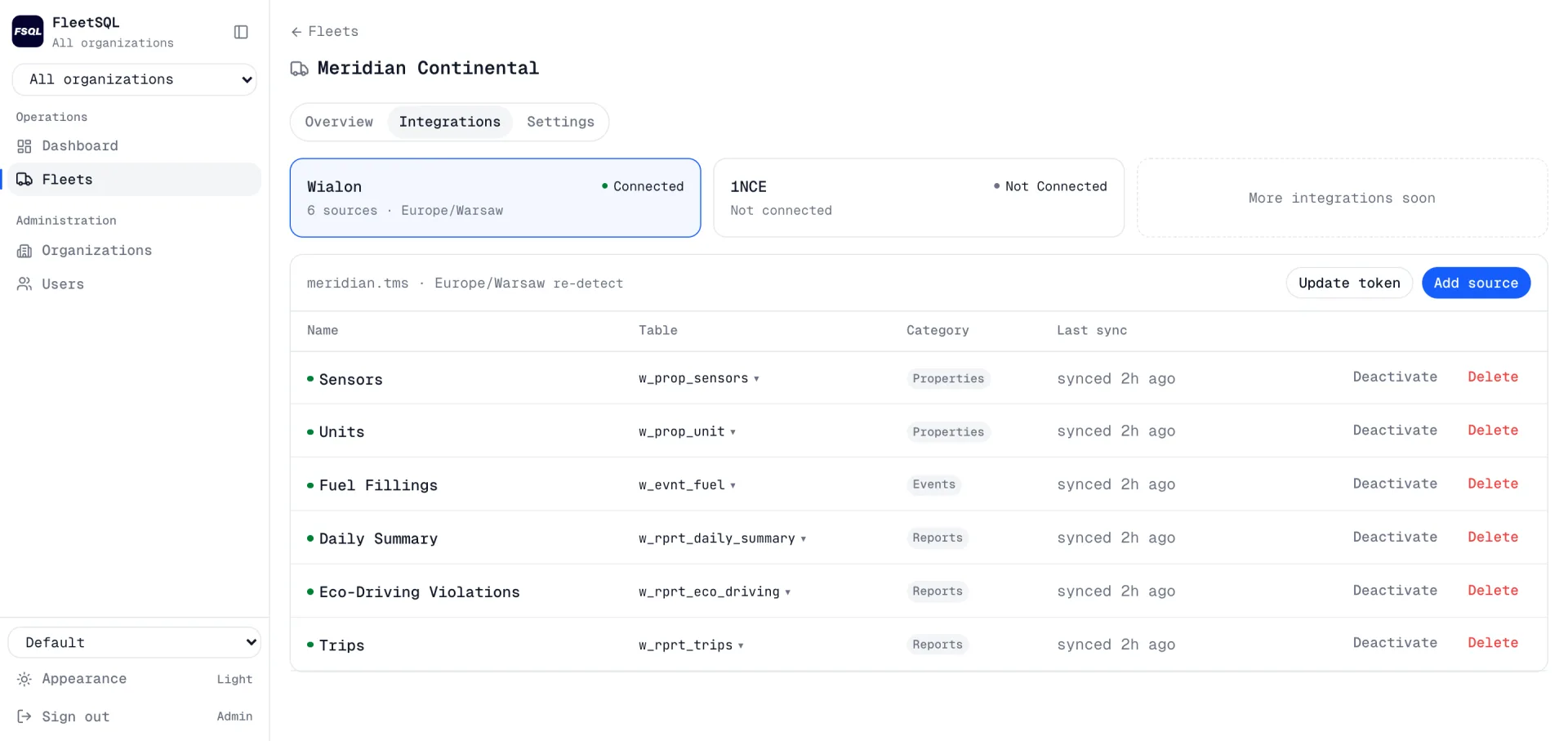
The integrations tab of a fleet in the FleetSQL console: Wialon connected with six sources in the Europe/Warsaw timezone, and a table listing each source with the table it writes into, its category and when it last synced
Choosing sources, in the console. Each one names the table it writes into and when it last ran.

Step 3 — Backfill, then sync

The first run pulls history — up to three years, as far back as your Wialon retention actually goes. That is the deepest history the database will ever hold, because once a period ages out of the source, no pipeline can recover it. It is the reason the first extraction is worth running early rather than at the end of an evaluation.

After that the sync runs on a cadence you set — every 15 or 30 minutes, hourly, or once a day at a chosen hour — with a lookback window that decides how far back each run re-reads. A fleet can hold several schedules at once, which is how a cheap frequent pull of positions coexists with a heavier nightly report.

Each run is idempotent: the window is deleted and re-fetched rather than appended, so re-running a period replaces it rather than duplicating it. A failed night is fixed by running it again, not by cleaning up afterwards, and every run is recorded with its status and row counts.

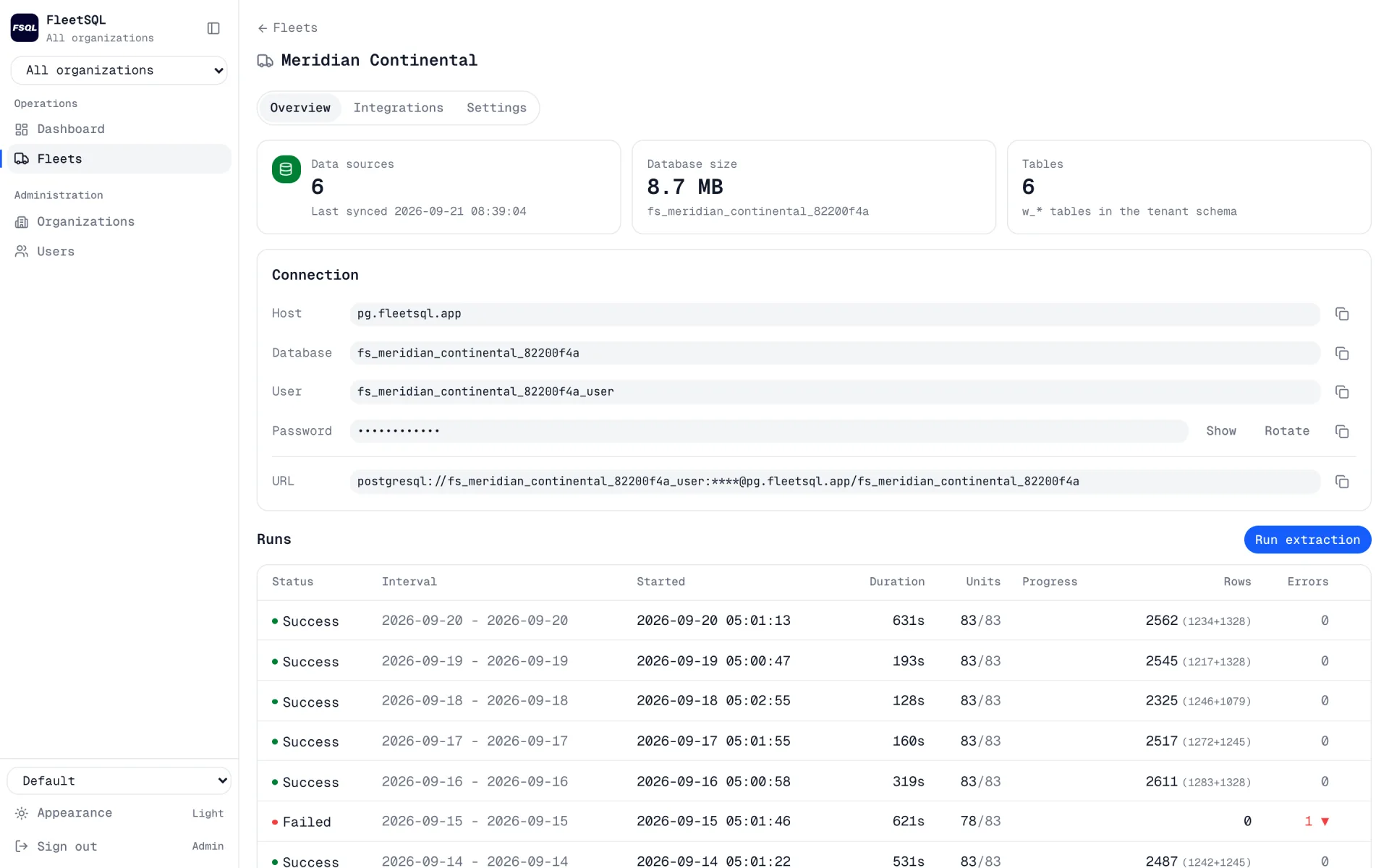
A fleet's page in the FleetSQL console: data sources, database size and table count, the PostgreSQL host, database, user and connection URL, and a run history listing each extraction with its duration, units, rows and errors
Every run is recorded with its window, duration, units, rows and errors — including the ones that failed.

Step 4 — Query it like any other database

You get a PostgreSQL connection string, and everything downstream is standard from that point: psql, DBeaver, Metabase, Grafana, Power BI, pandas, an ORM in whatever language your team writes. There is no FleetSQL SDK to learn and no proprietary query language, which is the whole point.

Speeding events per 1000 km by vehicle, last 30 days
WITH km AS (
  SELECT unit_id, SUM(distance_m) / 1000.0 AS km
  FROM   w_evnt_trips
  WHERE  start_time >= NOW() - INTERVAL '30 days'
  GROUP  BY unit_id
)
SELECT u.name,
       ROUND(km.km)                                     AS km,
       COUNT(s.start_epoch)                             AS speedings,
       ROUND(1000 * COUNT(s.start_epoch) / NULLIF(km.km, 0), 2) AS per_1000km
FROM   km
JOIN   w_prop_unit u USING (unit_id)
LEFT JOIN w_evnt_speedings s
       ON s.unit_id = km.unit_id
      AND s.start_time >= NOW() - INTERVAL '30 days'
GROUP  BY u.name, km.km
ORDER  BY per_1000km DESC NULLS LAST;

What runs where

Every client gets a separate PostgreSQL database rather than a shared table with a tenant column. That is a deliberate trade: it costs more to operate than one big table, and it means a query written for one client cannot accidentally return another client's rows. For an integrator running fleets for several customers, that distinction is the difference between a data model and a liability.

Access is per person, not one shared password: each user who needs the database gets their own PostgreSQL role, which can be suspended, rotated or revoked without disturbing anyone else, and every grant is logged. Connections are hosted in the EU and require TLS; the database refuses plaintext rather than accepting it quietly.

Deletion on request drops the database rather than flagging rows — what an engagement includes covers how that is handled contractually.

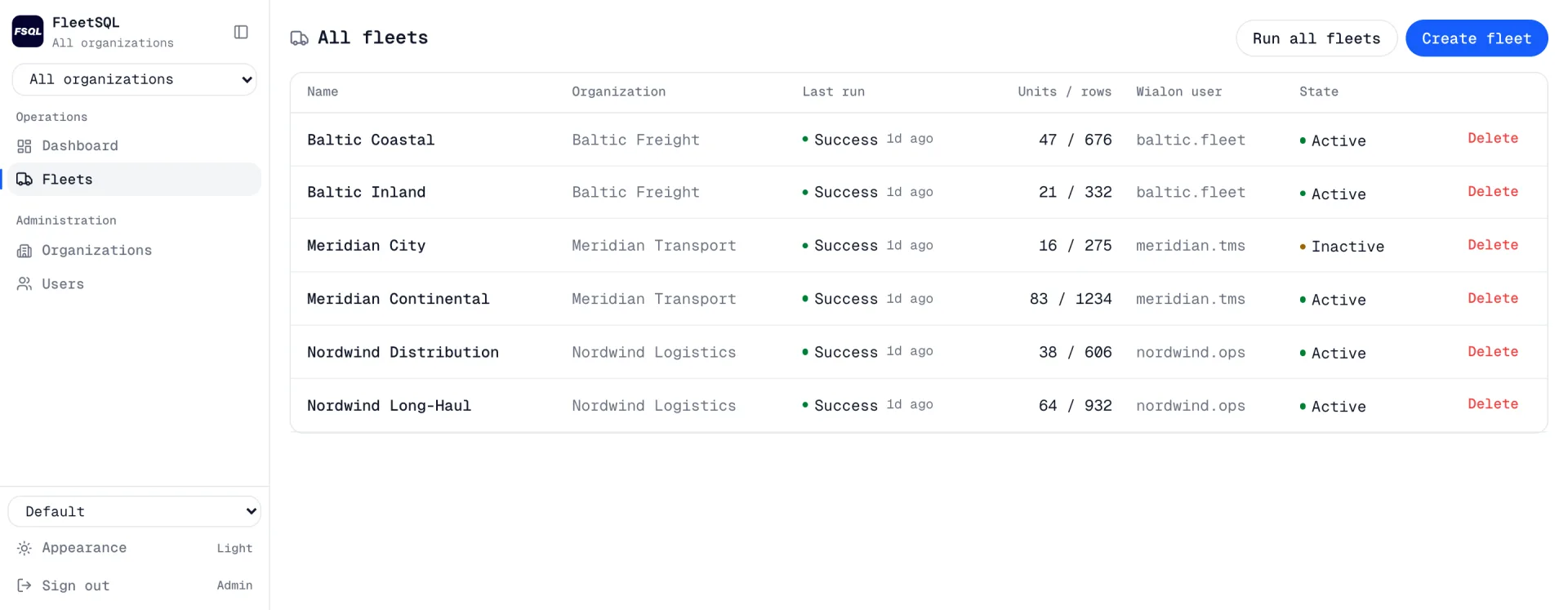
The fleet table in the FleetSQL console: six fleets across three organizations, each with its last run status, units and row counts, the Wialon user it extracts as, and whether it is active
One row per fleet, each with its own database behind it.

Frequently asked questions

Does FleetSQL write anything back to Wialon? +

No. It authenticates with a read token and never modifies units, reports, notifications or properties. If it stopped running tomorrow, your Wialon account would look exactly as it does today.

How far back does the first extraction go? +

Up to three years, bounded by what your Wialon deployment still retains. Anything already aged out of the source cannot be recovered later by any tool, which is why the first backfill is worth running early rather than at the end of an evaluation.

What happens if a run fails? +

It is marked failed with the error kept against it, and the schedule moves on rather than wedging behind a bad period. Because a window is replaced rather than appended, re-running it produces the correct result instead of duplicates — and a period that never landed shows up as a gap you can see rather than as a silently wrong total.

Can we choose the sync time and how often it runs? +

Yes to both: a cadence from every 15 minutes up to once a day at an hour you pick, and more than one schedule per fleet when different data deserves different frequencies. It matters for more than convenience — scheduling the heavy pulls outside the hours when your dispatchers hit the Wialon API keeps the extraction from competing with operational calls for the same rate-limit budget.

Do we need to run any infrastructure? +

No. The database is hosted and managed, and you receive a connection string. Teams that need the data inside their own network run the same model as a custom pipeline — that is an Asset Track engagement rather than this product.

Contact

Interested in FleetSQL?

Why FleetSQL

Your telematics data in a PostgreSQL database you control — queryable, joinable, and yours.

Managed, not installed
We run the extraction and the database. You get a connection string.
One database per client
Your own PostgreSQL, hosted in the EU, TLS required.
Your tools, unchanged
Power BI, Grafana, Metabase, psql, pandas — anything that speaks Postgres.
An evaluation first
A trial database on your own fleet before anything is signed.

Or write to us directly: fleetsql@theassettrack.com